Raspberry Pi 3 发微博
本打算做个微博机器人,但是貌似微博把接口的权限改变了,不是很好弄,所以这里先做个半自动的。
首先去open.weibo.com 先建立自己的应用,你会得到一个 App Key App Secret ,除此以外我们需要在 应用信息-高级信息中,把授权回调页 写成https://api.weibo.com/oauth2/default.html 取消授权回调页 同样即可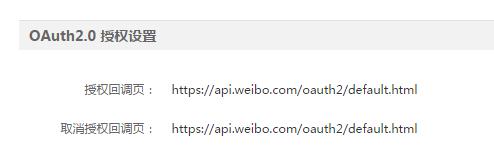
#coding=utf-8#! /usr/bin/python """ 引入Python SDK的包 """ import weibo
""" 授权需要的三个信息,APP_KEY、APP_SECRET为创建应用时分配的,CALL_BACK在应用的设置网页中 设置的。【注意】这里授权时使用的CALL_BACK地址与应用中设置的CALL_BACK必须一致,否则会出 现redirect_uri_mismatch的错误。 """ APP_KEY = ‘21523394XX’
APP_SECRET = ‘eb0da29dd163c64ec26dc6afc3b7XXXX’
CALL_BACK = ‘https://api.weibo.com/oauth2/default.html’def run():
#weibo模块的APIClient是进行授权、API操作的类,先定义一个该类对象,传入参数为APP_KEY, APP_SECRET, CALL_BACK client = weibo.APIClient(APP_KEY, APP_SECRET, CALL_BACK)
#获取该应用(APP_KEY是唯一的)提供给用户进行授权的url auth_url = client.get_authorize_url()
#打印出用户进行授权的url,将该url拷贝到浏览器中,服务器将会返回一个url,该url中包含一个code字段(如图1所示) print “auth_url : ” + auth_url
#输入该code值(如图2所示) code = raw_input(“input the retured code : ”)
#通过该code获取access_token,r是返回的授权结果,具体参数参考官方文档: # http://open.weibo.com/wiki/Oauth2/access_token r = client.request_access_token(code)
#将access_token和expire_in设置到client对象 client.set_access_token(r.access_token, r.expires_in)#以上步骤就是授权的过程,现在的client就可以随意调用接口进行微博操作了,下面的代码就是用用户输入的内容发一条新微博
<span class="keyword">while</span> <span class="keyword">True</span>: <span class="keyword">print</span> <span class="string">"Ready! Do you want to send a new weibo?(y/n)"</span> choice = raw_input() <span class="keyword">if</span> choice ==<span class="string">'y'</span> <span class="keyword">or</span> choice ==<span class="string">'Y'</span>: content = raw_input(<span class="string">'input the your new weibo content : '</span>) <span class="keyword">if</span> content:#调用接口发一条新微薄,status参数就是微博内容 client.statuses.update.post(status=content)
print “Send succesfully!“
break;
else:
print “Error! Empty content!“
if choice ==‘n’ or choice ==‘N’:
break
if name == “main”:
run()
weibo 这个库来自于 廖雪峰-Python微博SDK http://github.liaoxuefeng.com/sinaweibopy/
运行之后会让你登录:
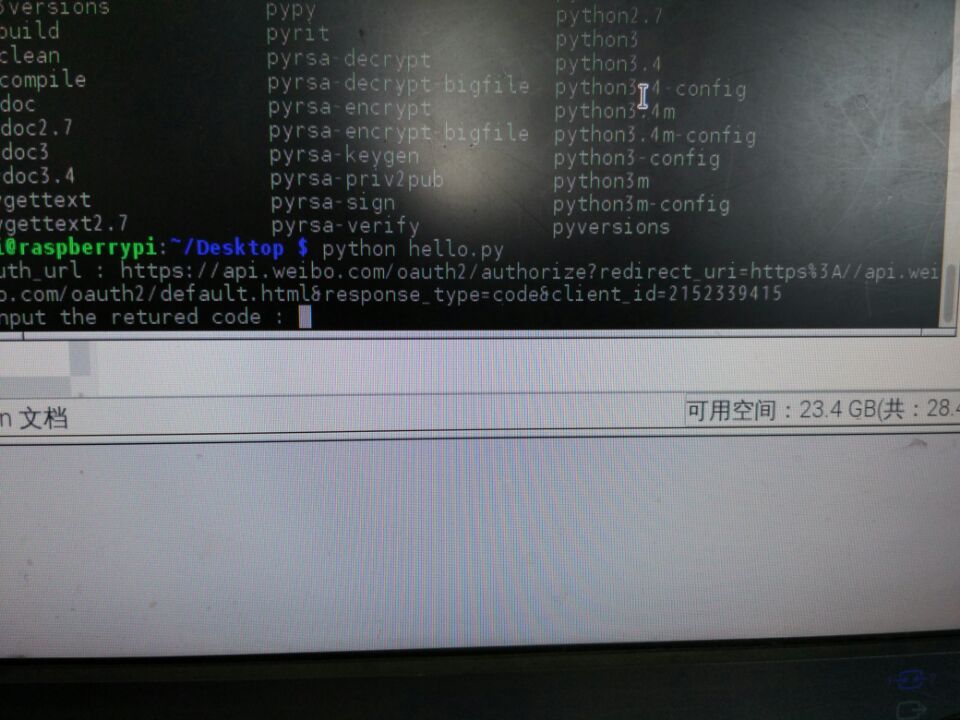
我们复制控制台显示出来的链接,粘贴到浏览器去获得code:
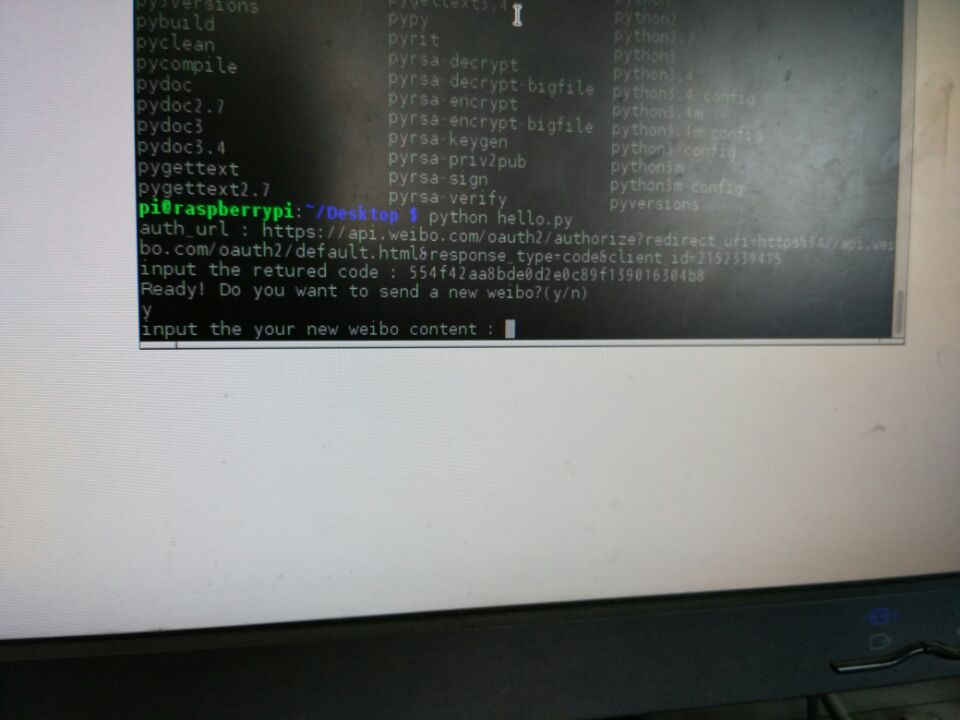
如果第一次登微博,就需要输一下帐号,密码,我的之前已经登陆过了。
看地址栏最后有一串字符:
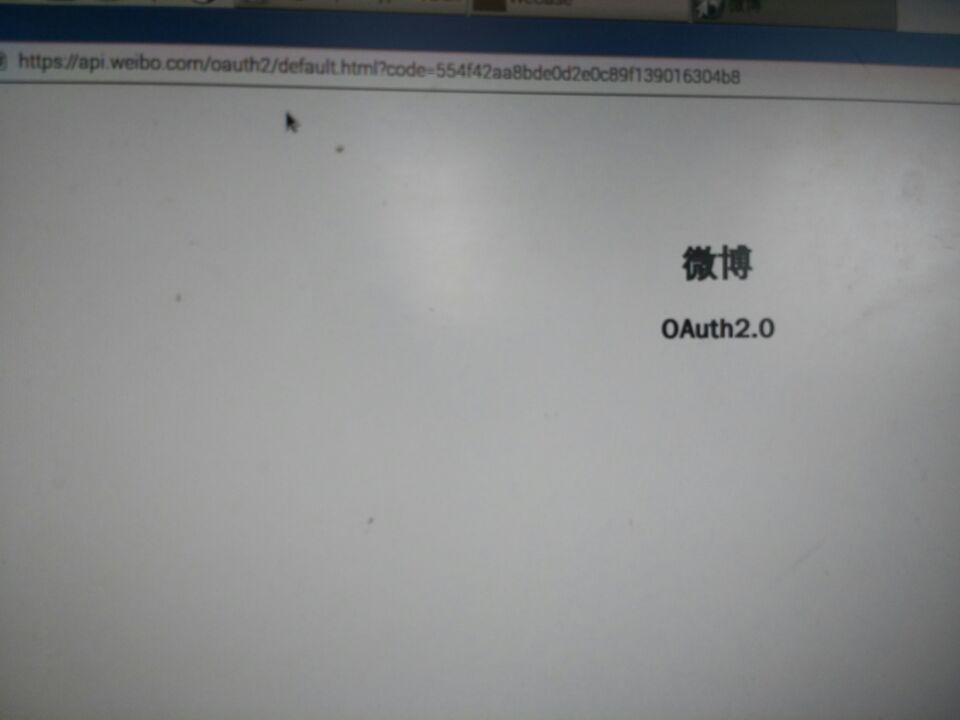
然后会问你要不要发微博,我们来发一条:
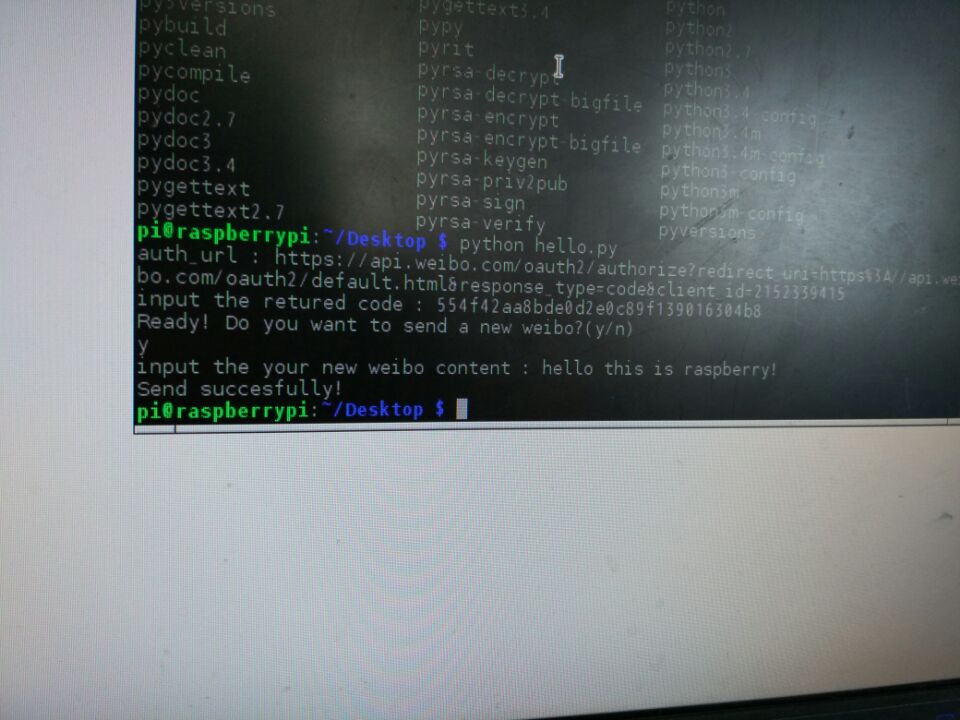
去微博看一看:
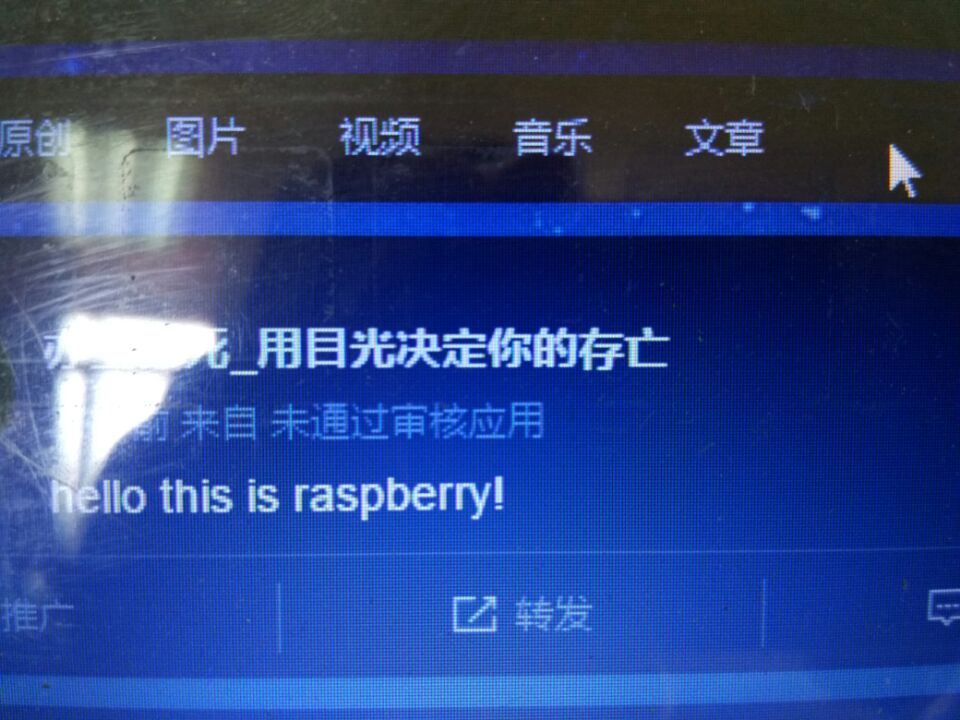
在之前,微博api是可以自己获得code,不需要手动到浏览器去粘贴获得,但是现在好像不可以了(但是还是有途径的),下一次再试试能不能自动登录。