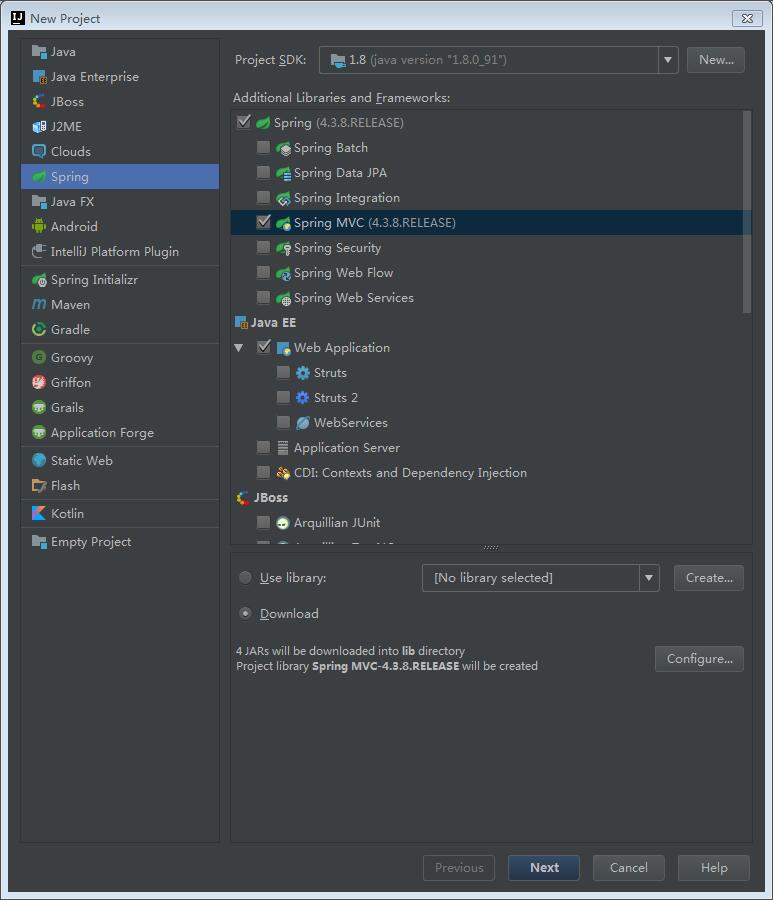
IntelliJ IDEA下导入Spring MVC框架,直接运行失败,下面说明一下具体的解决步骤。
使用IDEA,直接导入Spring MVC框架
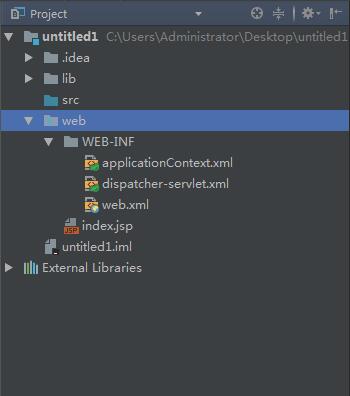
目录结构:
web.xml
1
2
3
4
5
6
7
8
9
10
11
12
13
14
15
16
17
18
19
20
21
22
23
24
25
<?xml version="1.0" encoding="UTF-8"?>
<web-app xmlns ="http://xmlns.jcp.org/xml/ns/javaee"
xmlns:xsi ="http://www.w3.org/2001/XMLSchema-instance"
xsi:schemaLocation ="http://xmlns.jcp.org/xml/ns/javaee http://xmlns.jcp.org/xml/ns/javaee/web-app_3_1.xsd"
version ="3.1" >
<context-param >
<param-name > contextConfigLocation</param-name >
<param-value > /WEB-INF/applicationContext.xml</param-value >
</context-param >
<listener >
<listener-class > org.springframework.web.context.ContextLoaderListener</listener-class >
</listener >
<servlet >
<servlet-name > dispatcher</servlet-name >
<servlet-class > org.springframework.web.servlet.DispatcherServlet</servlet-class >
<load-on-startup > 1</load-on-startup >
</servlet >
<servlet-mapping >
<servlet-name > dispatcher</servlet-name >
<url-pattern > *.do</url-pattern >
</servlet-mapping >
</web-app >
dispatcher-servlet.xml
1
2
3
4
5
6
7
8
9
10
11
12
13
14
<?xml version="1.0" encoding="UTF-8"?>
<beans xmlns ="http://www.springframework.org/schema/beans"
xmlns:xsi ="http://www.w3.org/2001/XMLSchema-instance" xmlns:context ="http://www.springframework.org/schema/context" xmlns:mvc ="http://www.springframework.org/schema/mvc"
xsi:schemaLocation ="http://www.springframework.org/schema/beans http://www.springframework.org/schema/beans/spring-beans.xsd http://www.springframework.org/schema/context http://www.springframework.org/schema/context/spring-context.xsd http://www.springframework.org/schema/mvc http://www.springframework.org/schema/mvc/spring-mvc.xsd" >
<context:component-scan base-package ="com.wenjiehe.hello" />
<bean id ="viewResolver"
class ="org.springframework.web.servlet.view.InternalResourceViewResolver" >
<property name ="prefix" value ="/WEB-INF/jsp/" />
<property name ="suffix" value =".jsp" />
</bean >
</beans >
在WEB-INF/jsp目录下创建hello.jsp
1
2
3
4
5
6
7
8
9
<%@ page contentType ="text/html;charset=UTF-8" language ="java" %>
<html >
<head >
<title > Title</title >
</head >
<body >
${message}
</body >
</html >
src目录下创建com.wenjiehe.hello.hello.java文件
1
2
3
4
5
6
7
8
9
10
@Controller
@RequestMapping ("/hello" )
public class hello
@RequestMapping (method = RequestMethod.GET )
public String helloWorld (Model model)
model.addAttribute("message" , "StringMvc你好啊!" );
return "hello" ;
}
}
配置好tomcat即可运行,然后遇到一个问题:
1
2
3
28-Apr-2017 20:24:15.997 SEVERE [RMI TCP Connection(3)-127.0.0.1] org.apache.catalina.core.StandardContext.startInternal One or more listeners failed to start. Full details will be found in the appropriate container log file
28-Apr-2017 20:24:15.998 SEVERE [RMI TCP Connection(3)-127.0.0.1] org.apache.catalina.core.StandardContext.startInternal Context [] startup failed due to previous errors
这个问题可能出在lib加载的问题,解决办法是把lib文件夹放入WEB-INF目录下,同时添加为library。Intellij IDEA 15创建的spring mvc项目无法运行。
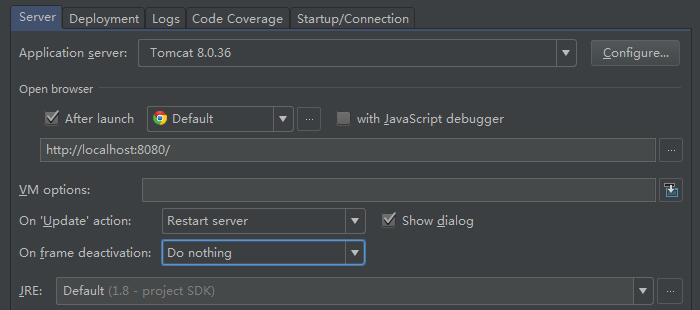
这是第一个问题。第二个问题发现重新运行后的程序老是不能更新,找了下解决办法:intellij idea让资源文件自动更新
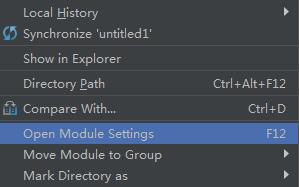
开始项目中没有 on frame deactivation 选项,在工程名上右击选择Open Module Settings,在Artifacts添加war exploded
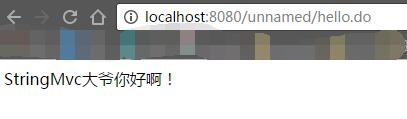
至此就可以运行了。